Answers AI for Interviews and Meetings Explained
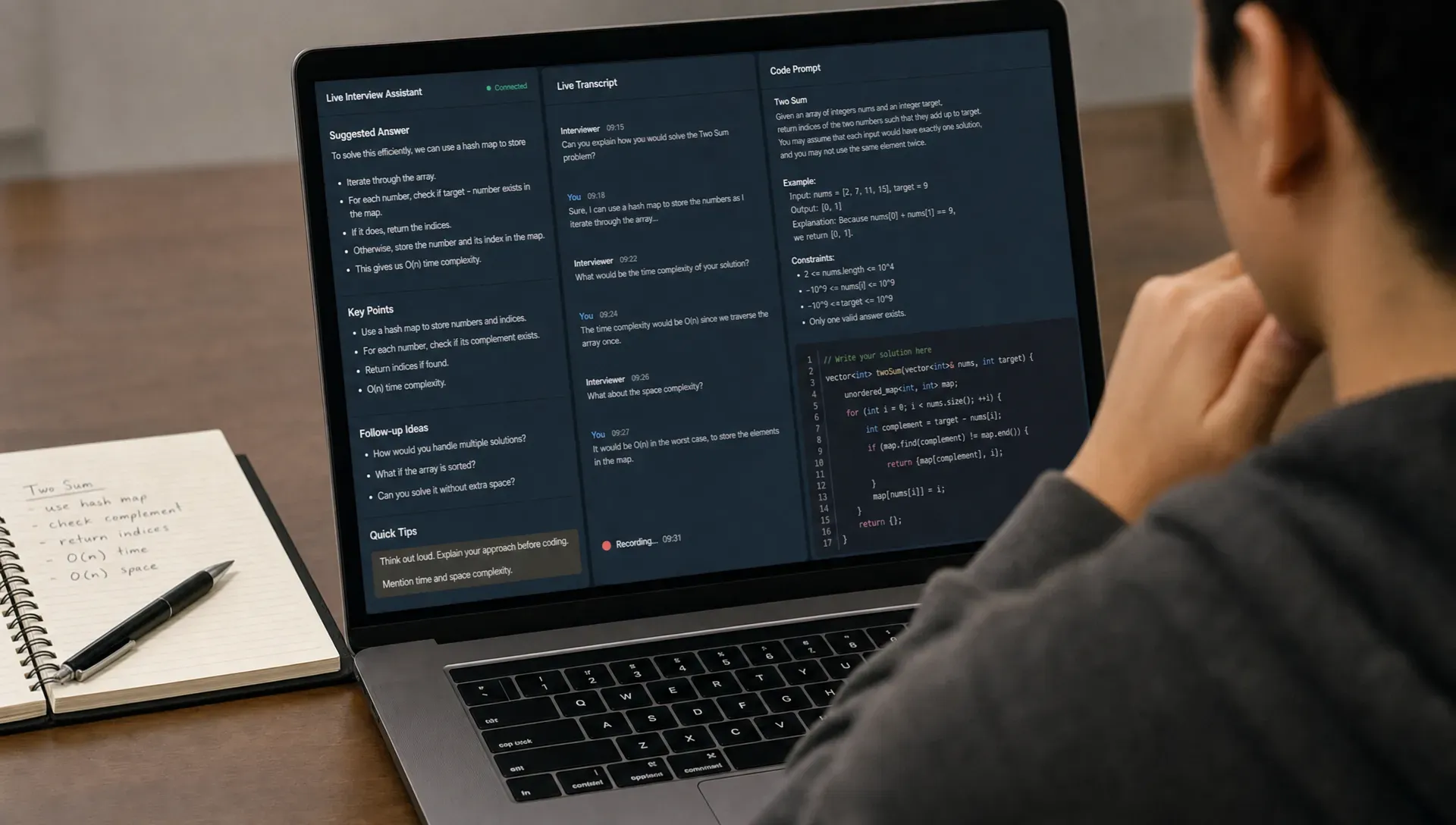
AI has moved from a prep tool to a live copilot. Instead of only helping you rehearse before an interview or summarize a meeting afterward, a real-time assistant can listen, understand the conversation, and suggest useful responses while the call is still happening.
That is the core idea behind Answers AI for interviews and meetings: software that provides instant, context-aware answer support when timing matters. It can help a candidate structure a behavioral response, help an engineer reason through a system design prompt, help a sales rep handle an objection, or help a meeting participant capture decisions without losing focus.
But not all answer-generating AI tools are the same. Some are basic chatbots. Some are transcription apps with summaries. The most useful tools combine live audio understanding, relevant context, low-latency responses, and structured notes in one workflow.
This guide explains what Answers AI means, how it works, where it helps most, what to watch out for, and how to use it responsibly in interviews and meetings.
What Is Answers AI?
Answers AI is a category of AI assistant designed to generate helpful responses in real time. In a live conversation, it can turn spoken questions, meeting context, or shared notes into suggested answers, talking points, clarifying questions, summaries, and follow-up actions.
In practice, it is different from asking a chatbot a question manually. A traditional chatbot requires you to stop, type, wait, and interpret the result. Answers AI is built around the speed and pressure of a live call. It listens to what is being said, keeps track of context, and returns concise guidance fast enough to use naturally.
For interviews, that might mean a suggested STAR-format answer, a coding hint, a system design trade-off, or a better way to explain your experience. For meetings, it might mean suggested responses to stakeholder questions, sales call coaching, lecture notes, or automatic action items.
| Tool type | Primary function | Best for | Main limitation |
|---|---|---|---|
| Basic chatbot | Manual Q&A | Research and preparation | Too slow for live calls |
| Transcription tool | Converts speech to text | Records and searchable notes | Usually does not help answer in the moment |
| Meeting summarizer | Creates post-call summaries | Recaps and follow-ups | Often helps after the conversation, not during it |
| Answers AI assistant | Generates real-time suggestions | Interviews, meetings, sales calls, lectures | Requires strong context and responsible use |
The real value comes from combining speed with relevance. A fast but generic answer is not enough. The assistant needs enough context to help you respond in a way that fits the role, meeting, customer, or topic.
Why Answers AI Matters in Interviews and Meetings
Live conversations are cognitively demanding. You have to listen, understand the question, decide what matters, recall relevant information, respond clearly, and take notes, often at the same time. Remote calls add another layer of complexity because people may be switching between video, documents, chat, and screen sharing.
Answers AI helps by reducing that mental load. It does not need to replace your judgment. The best use case is augmentation: helping you organize thoughts faster, avoid blanking under pressure, and capture details you might otherwise miss.
In interviews, this is especially relevant because candidates are judged not only on knowledge, but also on communication. A strong answer often needs structure. For example, a behavioral interview response is clearer when it explains the situation, task, action, and result. A system design answer is stronger when it identifies requirements, constraints, trade-offs, bottlenecks, and failure modes.
In meetings, the challenge is different. You may need to stay engaged while also writing notes, remembering numbers, and responding to objections. An assistant that can transcribe the discussion, suggest concise responses, and generate structured notes can help participants stay present.
How Answers AI Works in Real Time
Although each product is different, most Answers AI systems follow a similar pipeline. The assistant captures conversation input, converts it into text, adds context, sends it to a language model, and returns a response or note.
A simplified workflow looks like this:
- Audio capture: The assistant receives live audio from the meeting or interview environment.
- Speech-to-text transcription: The spoken words are converted into text that the AI can process.
- Context enrichment: The system may add details such as a resume, job description, meeting topic, sales context, or selected expert mode.
- Answer generation: A language model produces a suggested response, explanation, clarifying question, or summary.
- Live output: The user sees the suggestion quickly enough to use it while the conversation continues.
- Note generation: The assistant can turn the transcript into structured notes, decisions, and action items.
If you want a deeper technical explanation of the architecture behind these tools, Natively's breakdown of how AI interview assistants work under the hood explains transcription, screen context, and LLM-based hint generation in more detail.
Latency matters a lot. If the answer arrives ten seconds late, it may be useless. Strong real-time tools aim to respond quickly while still producing coherent suggestions. The best assistants also keep answers short by default because live conversations rarely leave time for long essays.
Key Interview Use Cases
Interviews are one of the clearest use cases for Answers AI because the conversation is high-stakes and question-driven. The assistant can help candidates organize responses without losing momentum.
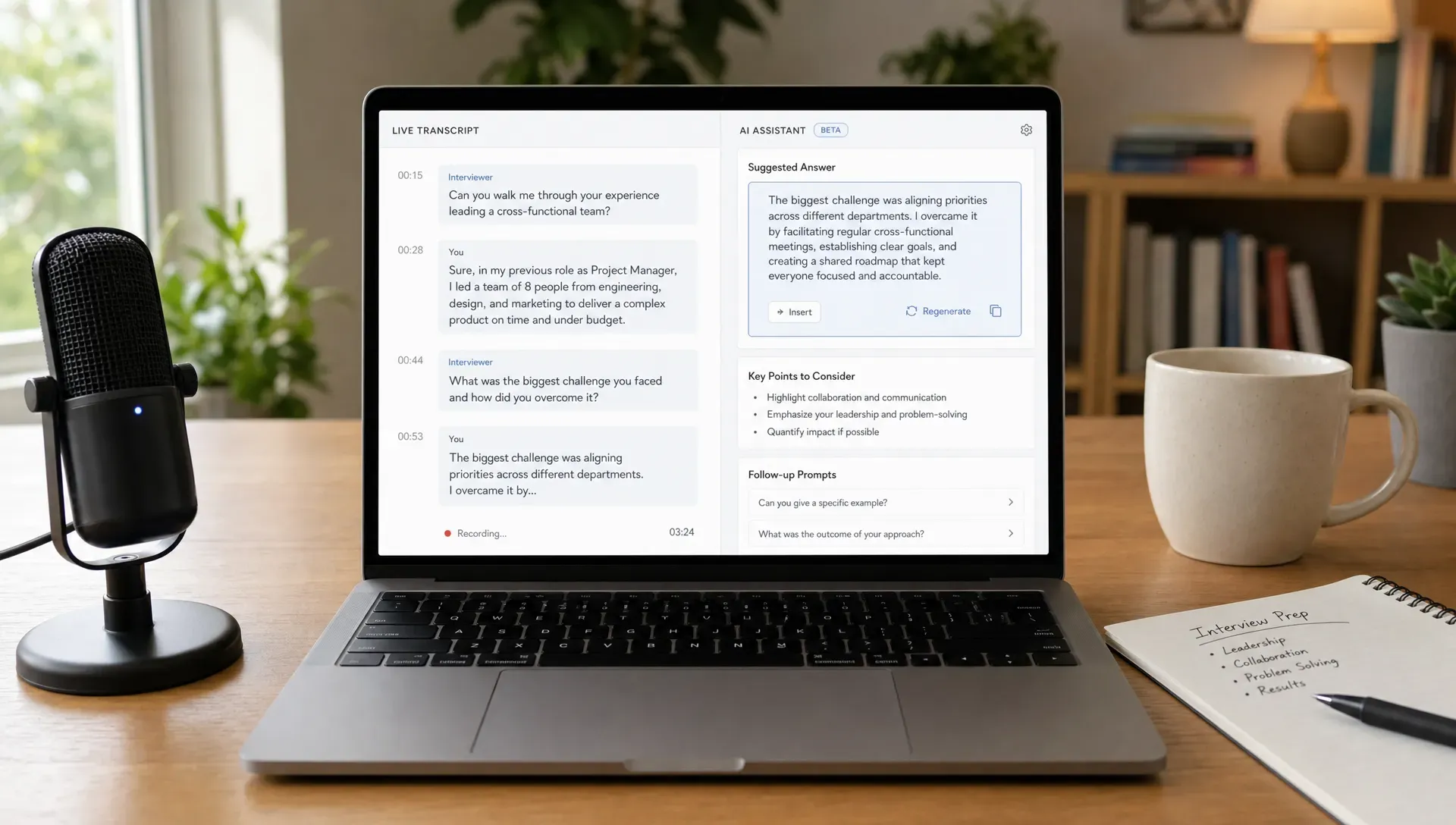
For behavioral interviews, an AI assistant can help turn a vague memory into a structured answer. If the interviewer asks, "Tell me about a time you handled conflict," the AI can suggest a response framework that starts with the context, explains your action, and ends with a measurable result. Natively's AI behavioral interview assistant is built around this kind of live STAR-format support.
For technical interviews, the assistant can help reason through a problem, identify edge cases, suggest test cases, or explain a trade-off. The goal is not to read a script. It is to keep your thinking organized when the pressure is high.
For system design interviews, the assistant can help you avoid jumping straight into architecture before clarifying requirements. A useful answer might prompt you to ask about scale, users, consistency, latency, storage, or failure handling. For candidates preparing for architecture-heavy interviews, a dedicated AI system design interview assistant can be especially relevant.
| Interview scenario | How Answers AI can help | What the candidate still needs to do |
|---|---|---|
| Behavioral question | Suggests a STAR structure and concise phrasing | Provide truthful personal examples |
| Coding problem | Highlights approach, complexity, and edge cases | Write and explain the solution |
| System design prompt | Surfaces requirements, components, and trade-offs | Drive the design discussion |
| Recruiter screen | Helps clarify experience and role fit | Communicate honestly and naturally |
| Case-style question | Breaks the problem into assumptions and steps | Apply judgment and business reasoning |
The strongest interview use is support, not substitution. A candidate who relies entirely on generated text will sound unnatural and may struggle with follow-up questions. A candidate who uses AI as a thinking aid can stay calmer, more structured, and more responsive.
Key Meeting Use Cases
In meetings, Answers AI is less about passing an evaluation and more about improving participation. It can help people respond faster, remember details, and create better records of what happened.
Sales calls are a strong example. A prospect might ask about pricing logic, implementation effort, integrations, security, or competitor differences. A sales call coaching mode can help suggest a concise response or a follow-up question while the conversation is still live.
Internal meetings are another fit. Team members can use AI to capture decisions, summarize blockers, identify owners, and turn a discussion into follow-up notes. This reduces the common problem where everyone remembers the meeting differently.
Lectures and training sessions also benefit from live transcription and structured notes. Instead of frantically writing everything down, the participant can focus on understanding the material and review the organized notes afterward.
Natively's AI meeting assistant focuses on live transcription, real-time answer suggestions, and automatic notes for calls, which makes it a good example of how the category extends beyond job interviews.
What Good AI Answers Look Like
The best AI-generated answer is not always the longest or most impressive. In live conversations, usefulness depends on clarity, timing, and fit.
A good real-time answer is concise enough to glance at quickly. It should help you say something natural, not force you into stiff wording. It should also be grounded in the context of the conversation rather than giving a generic textbook explanation.
For example, if an interviewer asks about scaling a notification system, a weak AI answer might dump a long architecture essay. A useful answer might suggest: "Clarify volume and delivery guarantees first. Then discuss queue-based architecture, retry strategy, idempotency, rate limiting, and monitoring." That kind of response helps you lead the conversation while keeping ownership of the answer.
In meetings, a good AI answer might be a suggested clarification: "Do we know whether the blocker is legal approval or engineering capacity?" Sometimes the best response is not an answer at all, but a sharper question.
Privacy, Trust, and Responsible Use
Because Answers AI can process sensitive conversations, privacy matters. Interviews may include personal career information. Meetings may include customer data, confidential product plans, financial details, or legal topics. A tool that handles this information should be evaluated carefully.
One major distinction is local versus cloud operation. Cloud-based tools send data to external servers for processing, which can be convenient but may create privacy concerns depending on the context. Local-first tools can reduce exposure by processing more data on the user's device, although exact behavior depends on the product and configuration.
There is also an ethics and policy dimension. In a workplace meeting, using an AI note taker may be acceptable or even encouraged. In an interview, expectations vary by company, role, and jurisdiction. Candidates should understand the rules of the process and use AI in a way that supports truthful communication rather than misrepresentation.
A practical standard is this: use AI to organize your own knowledge, improve clarity, and capture notes. Do not use it to fabricate experience, conceal lack of qualification, or violate explicit interview rules. For broader governance principles, the NIST AI Risk Management Framework is a useful reference for thinking about trustworthy AI systems.
How to Choose an Answers AI Tool
Choosing the right tool depends on your use case. A student in lectures, a software engineer in interviews, and a sales leader in discovery calls all need different kinds of support.
The most important selection criteria are practical. Does it respond quickly? Does it understand the meeting context? Can it generate structured notes? Does it work with the platforms you actually use, such as Zoom or Google Meet? Can it operate locally if privacy is important? Does it support different expert modes for different professional situations?
Look for these capabilities:
- Low latency: Suggestions should appear fast enough to matter in a live conversation.
- Accurate transcription: Poor transcripts lead to poor answers.
- Context support: Resume, job description, meeting agenda, or account notes can make outputs more relevant.
- Structured notes: The tool should capture decisions, action items, and follow-ups, not just raw text.
- Mode selection: Interview, sales, lecture, and meeting contexts require different response styles.
- Privacy options: Local or cloud operation should match the sensitivity of your calls.
- Platform compatibility: The assistant should fit naturally into your Zoom or Meet workflow.
A tool can be powerful and still be the wrong fit if it adds friction. In live calls, the interface should stay out of the way. The assistant should help you listen more closely, not distract you with constant noise.
How Natively Fits the Answers AI Category
Natively is built for real-time assistance during interviews and meetings. Based on the product's core positioning, it provides instant AI answers, live meeting transcription, and structured notes. It supports interview copilot use cases, sales call coaching, lecture note taking, resume and job description context, multiple expert personas, and local or cloud operation.
That combination matters because interviews and meetings are not identical workflows. An interview assistant needs to help with answer structure, technical reasoning, and role-specific context. A meeting assistant needs to help with transcription, action items, and in-the-moment responses. Natively brings those patterns together in one AI copilot experience.
It is also designed to work with Zoom and Meet, two of the most common platforms for remote interviews and business calls. For users who care about privacy and responsiveness, the local or cloud operating model is especially important.
Best Practices for Using Answers AI
The most effective users treat Answers AI like a copilot, not an autopilot. Before a call, add the context that matters. For an interview, that might include your resume, the job description, and the type of interview. For a meeting, that might include the agenda, customer background, or project notes.
During the call, use the AI for structure and reminders. If the assistant suggests a phrase, adapt it in your own voice. If it surfaces a trade-off, explain why it matters. If it generates a follow-up question, ask it only if it genuinely moves the conversation forward.
After the call, review the transcript and notes. The post-call value is often just as important as the live answer support. Clean notes help you send better follow-ups, remember commitments, and improve for the next conversation.
For interviews in particular, practice before relying on any live assistant. If you have never used the tool before, a high-stakes call is the wrong time to learn the interface. Run mock interviews, test your audio setup, and practice turning suggestions into natural speech.
Frequently Asked Questions
What does Answers AI mean? Answers AI refers to an AI assistant that generates real-time answer suggestions during live conversations, such as interviews, meetings, sales calls, or lectures. It usually combines transcription, context understanding, and language model output.
Is Answers AI only for job interviews? No. Interviews are a major use case, but the same concept applies to business meetings, sales calls, customer conversations, training sessions, and lectures.
Can Answers AI take meeting notes? Many tools in this category can transcribe calls and turn the conversation into structured notes, including summaries, decisions, action items, and follow-up points.
Is it ethical to use AI during an interview? It depends on the rules and expectations of the interview process. It is generally safer to use AI for preparation, organization, and truthful communication, not to fabricate experience or violate explicit instructions.
What is the difference between a chatbot and Answers AI? A chatbot is usually manual and asynchronous. Answers AI is designed for live conversations, where it listens to the call, understands context, and provides quick suggestions while the discussion continues.
Does Answers AI need to run in the cloud? Not always. Some tools can run locally, in the cloud, or with a hybrid approach. Local operation can be useful when privacy, latency, or data sensitivity is a priority.
Try a Real-Time AI Assistant for Your Next Call
Answers AI is most useful when it helps you stay present, think clearly, and communicate better under pressure. Whether you are preparing for interviews, joining sales calls, attending lectures, or managing team meetings, the right assistant can reduce cognitive load and turn conversations into organized outcomes.
If you want real-time answers, live transcription, and structured notes in one workflow, explore Natively. It is built for interviews and meetings, with support for Zoom and Meet, multiple expert modes, and local or cloud operation depending on your needs.
Ready to try Natively?
Download the definitive local AI interview assistant today and ace your next coding interview with complete privacy.
Get Started Free